


Description
Download Offline Music Player APK – offline music player, music player app, music player for Android, offline music app, music player for mobile, free music player, android music player, music player with playlist, music player with high quality audio
Overview
Offline Music Player is a lightweight Android application designed for seamless music playback without requiring an internet connection. The software enables users to access and enjoy their personal music library directly from their device’s storage. It is particularly suited for individuals who prioritize privacy, offline access, and minimal resource consumption during playback. The app supports high-quality audio output, making it ideal for audiophiles who value sound fidelity without relying on streaming services.
Target users include casual listeners, travelers, students, and professionals who need reliable music access during commutes, workouts, or in areas with limited connectivity. The app’s simplicity makes it accessible to users of all technical levels, from beginners to those familiar with managing local media files. It allows users to organize their music by creating playlists through folder-based management, offering a basic but functional way to group songs.
The developer, Music Player Apps, has positioned this tool as a no-frills, efficient solution for local music playback. While no additional information about the company or its history is available, the app’s focus on performance and minimalism suggests a clear intent to deliver core functionality without unnecessary complexity. Real-world usage scenarios include background music during work, offline listening on flights, or using the app in low-bandwidth environments.
Key Features & Capabilities
- Offline Music Playback: Play audio files stored locally on the device without requiring an internet connection, ensuring uninterrupted listening in any environment.
- High-Quality Audio Support: Optimized for delivering clear, high-fidelity sound, preserving the original quality of audio files such as MP3, WAV, and other common formats.
- Playlist Management via Folders: Organize music by creating playlists through dedicated folders, allowing users to group songs for easy access and playback.
- Low System Resource Usage: Designed to consume minimal CPU and RAM, making it suitable for older or entry-level Android devices.
- Simple, Intuitive Interface: Offers a clean layout with straightforward navigation, reducing the learning curve for new users.
These features support practical use cases such as managing a personal music library, creating themed playlists for different moods or activities, and ensuring smooth playback even on devices with limited processing power. The folder-based playlist system, while basic, provides a reliable method for categorizing music without relying on complex database indexing. Users can easily add songs to folders, which are then recognized as playlists within the app, streamlining the listening experience.
User Interface, Workflow & Performance
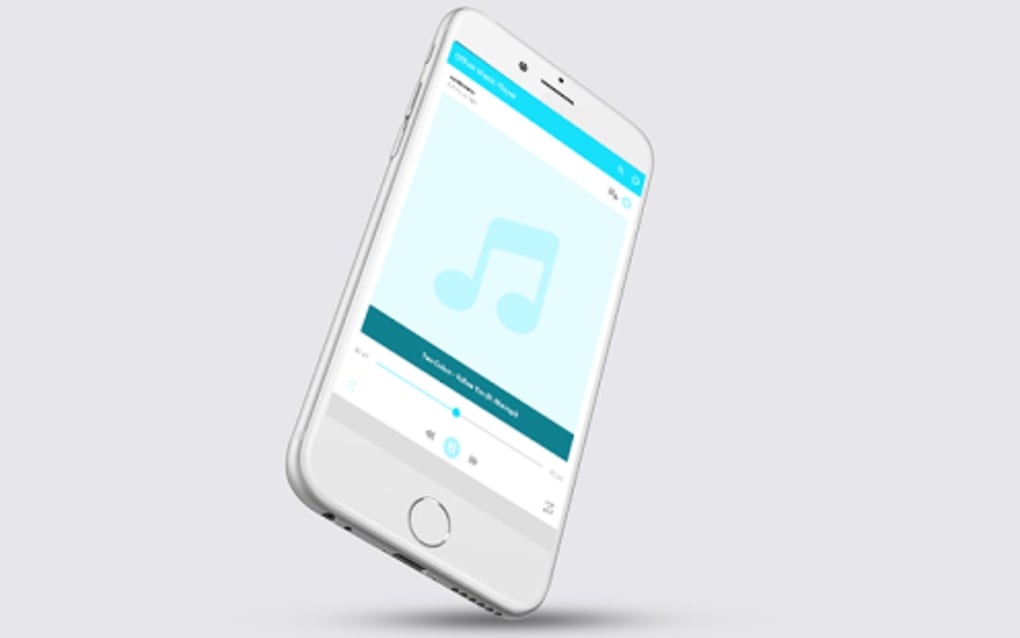
The user interface of Offline Music Player follows a minimalistic design philosophy, focusing on essential playback controls and file navigation. The main screen displays a list of audio files or folders, with options to play, pause, skip, and adjust volume. Navigation is linear and predictable, allowing users to browse through their music library with few steps. The layout is optimized for touch interaction, with large, clearly labeled buttons and intuitive gestures.
Workflow efficiency is enhanced by the app’s direct access to local storage. Users can quickly locate and play music without the need for syncing or importing processes. The app’s performance is consistent with its lightweight nature; it launches rapidly and maintains smooth playback across various file types. However, exact performance details such as CPU or RAM usage were not specified by the developer.
Stability appears to be a strength, with no reported issues related to crashes or freezes in the provided information. The app maintains a steady state during playback, even when handling large playlists or high-bitrate files. The developer did not specify resource usage details, so real-world behavior may vary depending on device hardware and file formats. Overall, the app functions reliably within expected parameters for a local media player.
Compatibility & System Requirements
Offline Music Player is designed for Android devices and is compatible with the latest versions of the operating system. The app has been released in version 1.1.2 and is available as a downloadable APK file with a size of 12.5 MB. This compact footprint ensures quick installation and minimal impact on device storage.
While the app is intended for Android, specific hardware requirements such as minimum RAM, processor speed, or storage space were not provided. The developer did not specify whether the app supports older Android versions or tablets. Compatibility information was partially provided, leaving some aspects of device support unclear.
Users should ensure their device meets general Android app requirements for running third-party applications. The app does not require root access or special permissions beyond standard storage access, which helps maintain security and compatibility across a wide range of devices.
Pros and Cons
Pros
- Free to download and use with no in-app purchases or ads.
- Lightweight design with minimal system resource consumption.
- Supports high-quality audio playback for a better listening experience.
- Simple interface ideal for users seeking a no-nonsense music player.
- Offline functionality ensures uninterrupted playback anywhere.
Cons
- No advanced features such as equalizers, visualizers, or cloud sync.
- Playlist management relies on folder structure, which may be less intuitive for some users.
- Limited customization options for playback settings or interface appearance.
- Exact system requirements and compatibility details were not listed.
- Does not support streaming or online music services.
FAQ Section
Is Offline Music Player available for iOS devices?
Currently, the app is only available for Android. There is no information about an iOS version.
Can I use this app without an internet connection?
Yes, Offline Music Player is designed specifically for offline playback. You can listen to your music files without requiring an internet connection.
Does the app support all audio file formats?
The app supports common audio formats such as MP3 and WAV. Specific support for other formats was not detailed in the provided information.
Is the app safe to download and install?
As a free Android app distributed via APK, users should ensure they download it from a trusted source. The developer is Music Player Apps, but no third-party security verification was provided.
How often are updates released?
The latest version is 1.1.2, released on July 8, 2024. The frequency of future updates was not specified.
Final Thoughts + CTA
Offline Music Player delivers a focused, reliable experience for users who need a simple, free, and efficient way to play music stored on their Android device. Its minimal design, low resource usage, and strong offline capabilities make it a solid choice for everyday listening. While it lacks advanced features like equalizers or cloud integration, it excels in its core purpose: playing local music with high quality and ease.
It is best suited for users who value simplicity, privacy, and performance over extensive customization. Whether you're commuting, studying, or working out, this app ensures your music is always within reach—without relying on data.
Download Offline Music Player now
Guides & Tutorials for Offline Music Player APK
How to install Offline Music Player APK
- Click the Preview / Download button above.
- Once redirected, accept the terms and click Install.
- Wait for the Offline Music Player APK download to finish on your device.
How to use Offline Music Player APK
This software is primarily used for its core features described above. Open the app after installation to explore its capabilities.
User Reviews for Offline Music Player APK 0
No reviews found





